passwords are so two-thousand and late
signing in without logging you out
the beanie breakdown
- what we built
magic sign-in links and qr codes can now be generated by a signed-in family member on-demand for any family member (if you’re an admin), plus a recovery kit and an optional family passphrase. no more passwords (but passwords will still work if you created them when you started your pod).
- how it helps you
a locked-out kid, partner or helper is back in with one scan and their 6-digit pin. no more complicated passwords to remember!
- where to find it
the profile menu › Sign In Another Device for magic links, and Settings › Security & Recovery for the recovery kit and passphrase
A few weeks ago, our wonderful family helper, who’s been with us since our second child was born, got locked out of beanies. And, naturally, she had also forgotten her password.
I thought that this was the end, because I immediately remembered this annoying, above-it-all comment some snarky a*shole wrote on the beanies.family homepage:
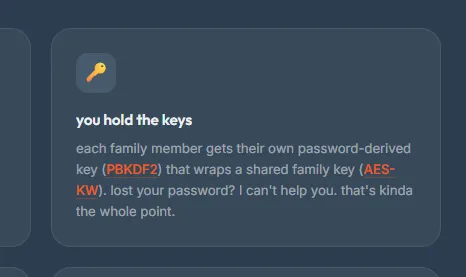
wait a minute.. seriously, what actually happens if you lose your password?
Then I remembered, that snarky a*shole was me. Whoops. Awk-ward.
For an app that’s designed to hold just about all your important family data, financial information, and memories, what really happens when you get locked out? Is it just, toodle-loo, so long, and thanks for all the fish? (Anybody else read this classic in high school? The answer is 42.)
Seriously though, for a local-first app that holds no sensitive information about you on servers - not even your password - signing you in is actually a harder problem than you’d think. I’ve spent the better part of the month trying to make this easier for my beanies, while still preserving your security and privacy.
Passwords really are so last year (or maybe even last decade, just like my two-thousand-and-late reference. Boom Boom Pow, y’all.). They’re usually the first thing people try, and the first thing to break. Passwords can be hacked, forgotten, stolen from breaches, exfiltrated via social engineering, and more. Passwords are rarely the answer - yet for us, they were (for a while). Because when you have an encrypted file, and you have no server to hold data about you or your key, you need SOME way to unlock that file.
The problem for beanies.family was that a password got created once at pod creation time, then saved to your device and never used again. People could easily forget their sufficiently attack-proof 12-character passwords because they were never forced to use them. And what sends a person into a murderous rage faster than any other known annoyance in the universe? Being forced to type a password you haven’t used in 3 months because your login “expired”. I call it password-rage, and it’s a real thing. Just ask my wife.
The grace and beauty of beanie magic links
The moment of inspiration, for me, came when I realized that beanies is a family app (yes, I actually had to realize that). And being a family app, somebody from your family, who already has the app open, is likely to be around. What does that mean? Well, in short - it means that they can help you log in. And we can forget about stupid passwords forever.
You may have noticed this new addition to the profile dropdown menu. And if you haven’t, well, it’s time to notice it now:
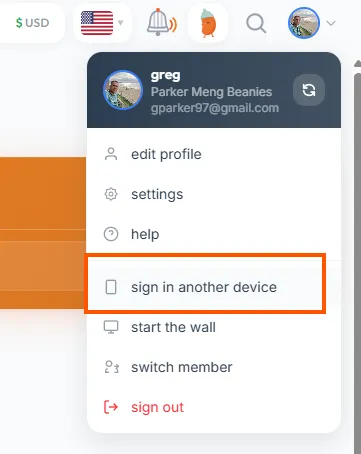
take note of this little item - it’s important. no, it really is.
The upshot of all this: passwords are really gone (for new families). In its place: your helpful family member, and a simple PIN for good measure.
Introducing: beanie magic links and QR codes!
Going forward, any logged-in admin family member can generate a personal, limited-time use magic link and QR code, created on the spot and specific to the family member you choose. Just send the link to the person who wants to sign in, or ask them to scan the QR code on your device. Done.
(Note: For legacy families who DID create passwords when you started your pod, they’ll still work.)
So what happens when your 10 year old son drops his tablet in the pool and needs to login again from a new device? Simply create that QR code, he scans it with his camera, enters his 6-digit PIN (which can be reset at any time by an admin), and boom! Your clumsy son is back in business. (By the way, I’m not making fun of your son - the situation I just described above is not hypothetical.)
What else is amazing about beanie magic links? Well, they work both ways - as I mentioned above, you can generate a QR code and magic link anytime you want to help yourself or a family member sign in (each one is good for 15 minutes). In addition, when your family member is signing in to a new device, a QR code can be automatically generated on their device that you can scan with your device’s camera. As long as you’re logged in, they’ll get logged in, too. Easy as that.
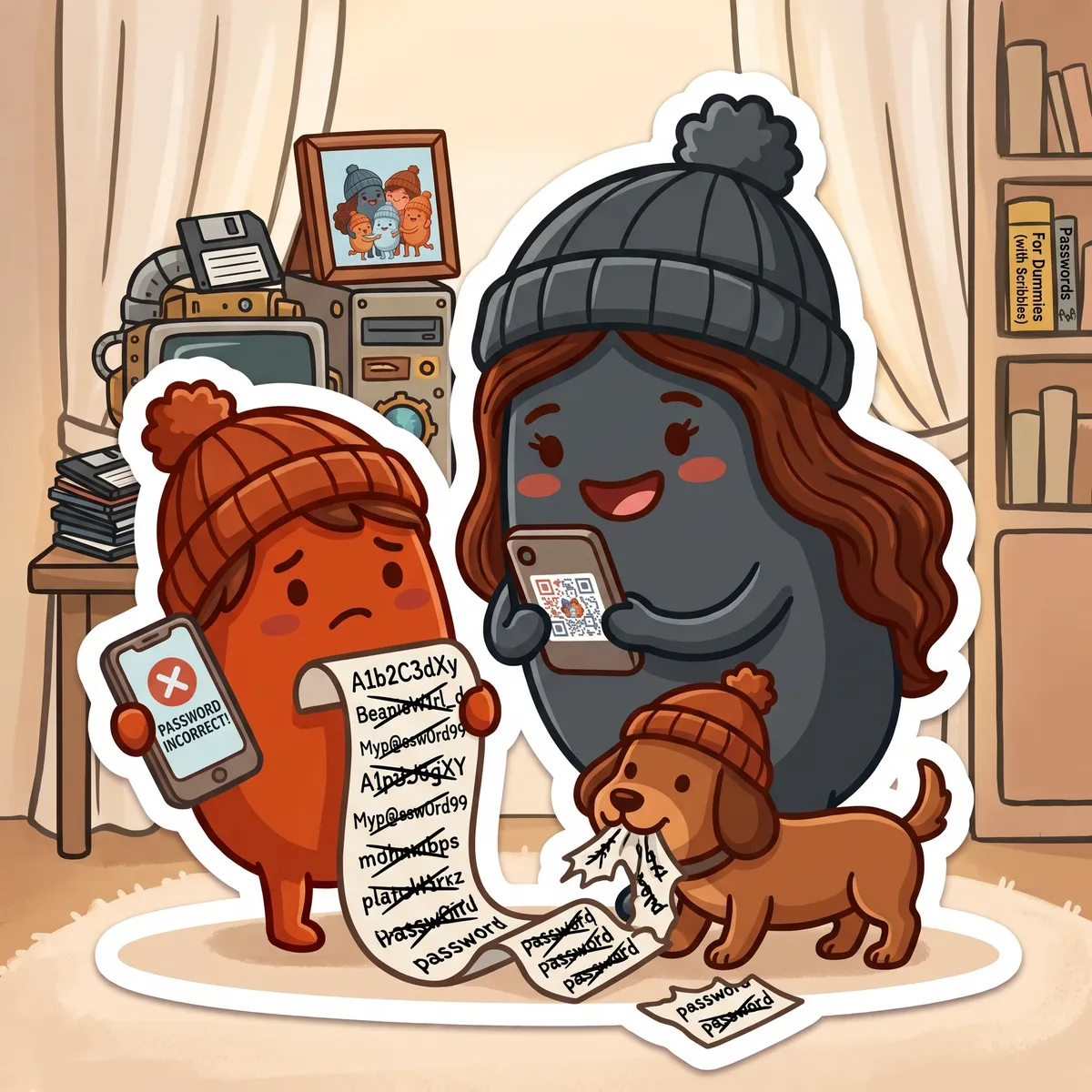
don’t worry little bean! i’ve got your qr code right here. and get that puppy some dinner.
But greg, I can hear you asking, what happens if I’ve lost every logged in device, I have no password, and there’s no family member around to help me log in?
Fantastic question, and relax, partner. I was just getting to that.
Allow me to introduce: the beanies recovery kit.
If you’ve been snooping around the settings menus (which is one of my favorite pastimes) you may have noticed this new little gem:
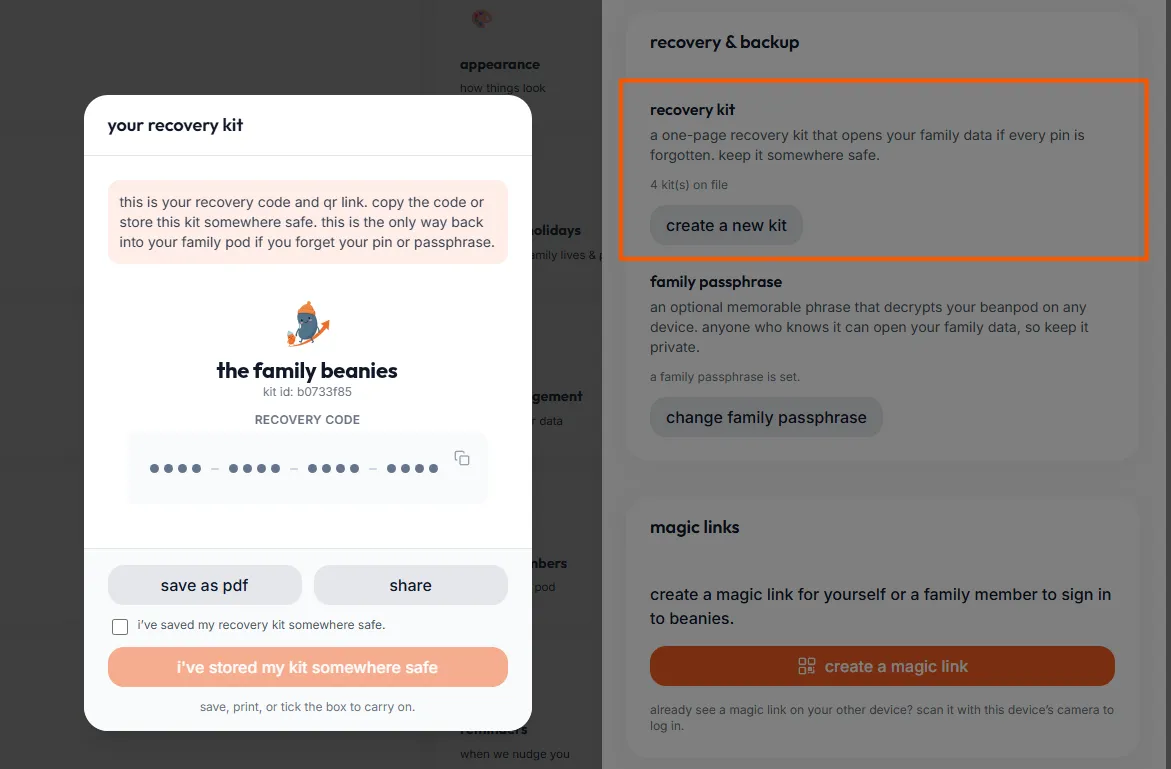
this is your last-ditch, forgot-everything-else, just get-me-in unlock method. don’t lose it.
If you’ve really forgotten everything, nobody else is logged in (or you’ve not invited anybody else yet), and you’re at your wit’s end - the recovery kit is where you can turn.
The recovery kit allows you to login, reset your PIN (if needed), and get back into that locked-out pod that holds every family activity, bank account number, and whatever else you stored in there, waiting for your safe return. It’s never really gone, as long as you have your recovery kit.
So generate a recovery kit (if you don’t have one already), keep it, and store it somewhere safe. You can even print it if you want to. You can generate a recovery kit anytime from the settings menu under the security and recovery section.
But wait - I still like passwords!
Well, hey there, boomer!
Just kidding - I’m actually the same. A password is like a fallback you can have just in case you don’t want to go with the nuclear recovery kit method.
So for those of us still here, there’s the family passphrase.
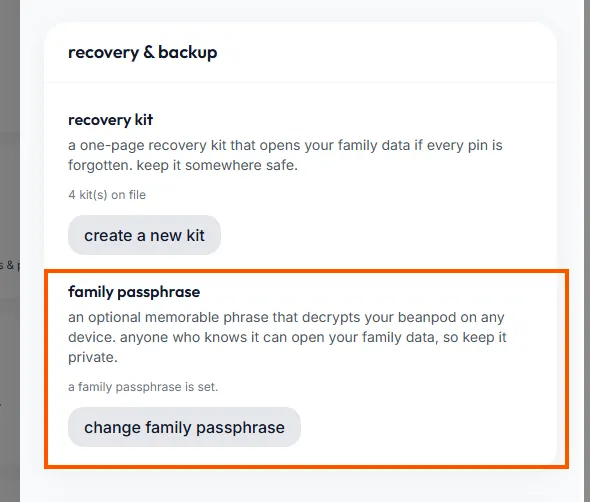
and last but not least - the option for the rest of us
The key thing about the family passphrase is that it’s optional - it’s ok to not have one. If you do decide to create a family passphrase, it works for your whole family, so it’s gotta be strong, and it can’t be something people can easily guess. You can share this phrase with your family or keep it in a safe place as another way to unlock your family beanpod that always works. It’s one more layer of security which is there if you need it. But if you choose to just go with the magic links and a recovery kit, that’s also ok. It’s up to you.
In summary, my month has been focused on keeping not only your family beanpod safe, but mine too. Because, getting back to my story, my helper is back in now, thanks to beanies magic links. And no thanks to stupid, forgettable passwords.
Login friction (and authentication in general) is almost always a big security vs. convenience trade-off for sensitive apps, and can be a touchy subject, especially for local-first platforms that don’t store any of your data on a server. So I’m curious to know: What do you think about this approach? If you have comments, suggestions, feedback, or just wanna say “cool”, then let me know at the beanies.family discord, where I’m always waiting to hear what’s on your beanie minds.
So enjoy your newfound security and magic links, and keep those old passwords safe (those ones you still have lying around, that is).
Wishing safe and rage-free logins to all my beans,
greg
follow me on substack for a new beanstalk post every friday (well, usually)